Artstation - Power Modeler ZBrush Plugin
This post was published 5 years ago. Download links are most likely obsolete. If that's the case, try asking the uploader to re-upload.
Requirement: ZBrush 2019 and ZBrush 2021.5 and up. | File size: 8.1 MB
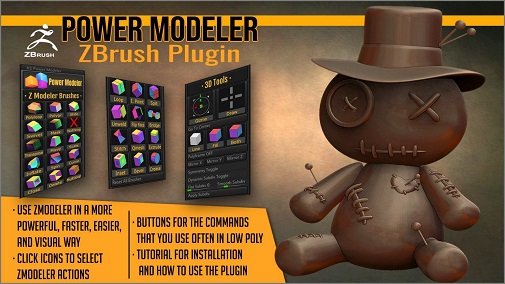
Power Modeler is a ZBrush plugin that adds 27 buttons with icons. With it, you can use ZModeler in a much more powerful, easy, fast, and visual way.
With Power Modeler you can use ZModeler in the same way as other 3D low poly modeling apps work: clicking on icons.
FEATURES
- 27 buttons with icons that make ZModeler behave as toolbar icons in other 3D modeling applications: create polygroups for faces or loops, slide, move points, scale, inflate, twist, qmesh, and so on just clicking on an icon. No more text browsing, except if you want it.
- Power Modeler helps you. It doesn't replace ZModeler, but it makes it much easier to use, faster, and more powerful
- Box modeling and subdivision modeling is much easier with Power Modeler
- It also has buttons for the most common actions like swapping between Gizmo and Draw mode, and a button to center the Gizmo if it doesn't appear where it should.
- Quick access to the 3 polyframe view modes, easier than the tiny text default button. View faces, edges, or both clicking on a button
- With just the Power Modeler palette, you can do all the low poly modeling. Set your plugins palette to the left or right tray, and get the maximum screen area for modeling
What's New
Updates: official site does not provide any info about changes in this version.
Homepage
Visit my Blog for Unity Assets, GFX Plugins & More!!!
Download without any wait from DDownload link below
Quick check before we show the links
Helps us keep automated scrapers from hammering the filehosts.