Modeler v2021.0.3 for Houdini
This post was published 4 years ago. Download links are most likely obsolete. If that's the case, try asking the uploader to re-upload.
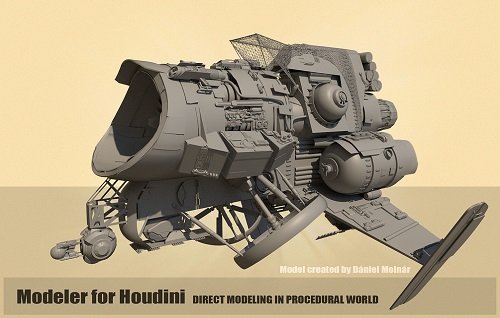
Requirement: Houdini | File size: 20.6 MB
Modeler gives you the power of direct modeling workflows in Houdini procedural environment. The general idea is combining necessary elements and tool states for bring-up classic mesh modeling workflow. It gives you easy access to Standard Houdini and Extended Modeler features.
MAIN MODELER FEATURES
- UI: Modeler is a minimalistic addon. Its entire interface consists of a viewport toolbar, a custom menu for mostly used actions, and radial menus for tools groups
- VIEWPORT TOOLBAR: All Modeler tools and some useful functions and indicators located in the viewport toolbar
- CUSTOM MENU: Houdini radial menus, shelf tools, and links to Modeler tools can be collected in a special user menu
- RADIAL MENUS: Some tools, combined into categories, located in Modeler radial menus
- HOTKEYS: Unlike other modeling software, this addon is extremely customizable. You can associate any modeling tool with any keyboard or even pen | mouse shortcuts
- LAZY SELECTION: You can highlight geometry components and just affect them on-the-fly with most of the tools. No need for selection to make an effect
- LAZY DRAG: To make model faster this feature reduces the number of extra pen\mouse clicks.
- MODELING TOOLS: Modeler has lots of tools for cutting, connecting, deleting, welding, etc, mesh operations, to make artist's life easier
- PYTHON STATES: Mesh tools use an improved python states system in order to increase the smoothness of the process. Most of these tools are volatile and can be on-the-fly activated without extra mouse presses. Moving pen in the air, while holding the key, much faster than lots of clicks in most of the other modeling programs
- POLYPEN: Modeler has a special multi-mode modeling tool called PolyPen. With this tool it is very convenient to quickly change polygonal topology by drawing edges, inserting loops, moving, sliding, deleting geometry components, etc
- PUSH: A way to smoothly deform geometry in a brush manner. Reminds ZBrush Move Brush
- GRAB: By default, MMB is a quick way to move selected components | objects on the fly. Shift and Ctrl modifiers can be used to constraint movement to the best horizontal, vertical axis. Ctrl+Shift moves geometry by the best-aligned view plane
- SYMMETRY MODE: Simple in use symmetry. Symmetry setup is global and can be tweaked on the fly in the viewport toolbar
- TOPO MODE: In addition to a special toolset, any of Modeler tools can be used to retopologize high-poly geometry
- SOFT BOOLEAN: Toolset and nodes for creating boolean operations with smooth transitions
- KITBASH: Collecting geometry parts and work with them in a special browser
- INSERT MESH: Detailing mesh with parts from KitBash libraries
- ZBRUSH+HOUDINI LIVE LINK: A set of tools for seamless modeling in Houdini and ZBrush. Currently, it is a Windows-only feature
NOTE: You will need a python 3 version of Houdini to run the new Modeler 2021
Homepage
Visit my Blog for Unity & Unreal Engine Assets, GFX Plugins & More!!!
Quick check before we show the links
Helps us keep automated scrapers from hammering the filehosts.