Corel AfterShot Pro 3.4.0.297 Multilingual macOS
This post was published 8 years ago. Download links are most likely obsolete. If that's the case, try asking the uploader to re-upload.
File size:74.78 MB
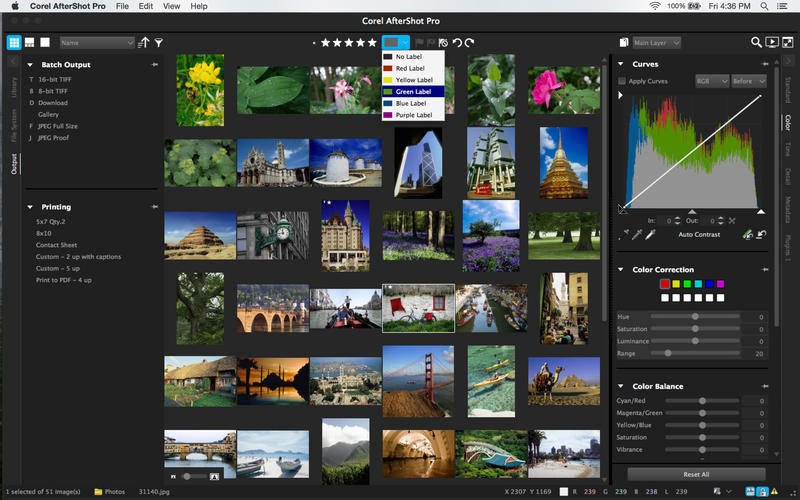
Corel AfterShot Pro 3 is up to 4x faster than Adobe Lightroom (based on a batch export workflow, using Lightroom CC 2015.5). It's the photo editor that reveals your true creative potential and frees you: from high costs, from endless subscriptions, from hours spent editing at your computer. Import, process, and output faster, and get back behind the camera where you belong--with AfterShot Pro 3.
Features
Simple photo management
Sort, organize and view all your photos in one place, quickly and easily with flexible file management options--no importing required.
Ultra-fast workflow
Experience dramatically faster loading, selecting, editing and output with the world's fastest RAW conversion software, featuring performance that's up to 4x faster than Adobe Lightroom.
Powerful batch processing
Edit and perfect one or thousands of photos with powerful batch processing controls and presets that let you quickly bring out the best in every image.
Send your photos from AfterShot to Photoshop with just a click:
AfterShot Pro integrates well with Photoshop. With AfterShot Pro as your batch-photo processor and image manager, you can quickly process your RAW photos. Then, when you're ready for more detailed editing, simply click the "Edit with External Editor" button to export in TIF directly to PhotoShop.
What's New
Version 3.4.0.297:
New Features
SmugMug sharing is now integrated into AfterShot.
How to share to SmugMug: From the Browse panel, click the Output tab, and in the SmugMug area, click Log In. Create or log in to your SmugMug account. In AfterShot, select and drag the thumbnails of the images that you want to share to one of the SmugMug upload presets.
Issues Addressed
Keywords: Apostrophe in keyword no longer causes issues.
Panasonic Lumix DMC-LX100: Lens correction applied by default.
Nikon firmware (1.02) update: Fixed stability and display issues associated with images captured on Nikon cameras that use 1.02 firmware.
Canon sRAW/MRAW: Corrected magenta hue issue.
Sony SLT-A99, SLT-A58: Corrected lens mount type error.
Fixed image rotation issues that occurred after exporting.
Fixed issues related to viewing images after reconnecting an external storage device, such as a flash drive.
Ubuntu 16.10 or higher: Fixed reported installation issues.
Requirements
Intel, 64-bit processor
OS X 10.9 or later
Homepage
Quick check before we show the links
Helps us keep automated scrapers from hammering the filehosts.