Virtual Drive Utilities Software RSS Reupload Requests 31
-
LDPlayer 9.0.53.1 Multilingual Freeware
File size: 628 MB
LDPlayer is a free Android emulator for PC users playing Android games easily on Windows. Based on Android 5 and 7, it supports a wide range of compatibility in running high-performance, high-graphic mobile games on PC.
-

File Size: 724.3 MB
MEmu is an Android emulator that specializes in video games. With MEmu you can enjoy many exclusive titles that you can find for the Android platform, directly on your computer. You don't need to adjust any complicated settings and configure the controls, just install it and start playing. With MEmu, you can install Android games quite easily, simply click the APK button on the right side of the interface, select the APK of the game you want to install, and wait. It really is that easy.
-
File size: 0.5/2.4 GB
BlueStacks is an easy to use and powerful App Player which is designed to run Android OS and apps on Windows PCs with instant switch between Android and Windows. No reboot is required. End consumers can now enjoy their favorite Android apps on Windows PCs. Android apps can appear either as icons on the Windows desktop, or within a full-blown Android environment. BlueStacks helps PC manufacturers to ride the Android momentum by enabling Android apps on x86-based tablets, netbooks, notebooks, convertibles and AiO Windows PCs.
-
File Size: 1.39 GB
Description
Horizon VMware , the leading software Name and efficient in application virtualization and desktop you. This software is able to create conditions for connection and desktop virtualization, all software applications and online services through a software environment you provide. The software is able to Desktop static (static desktops) to a safe environment and digitally convert user requirements. Software before you powerful product groups and, of course, VMware is well known that whatever product you will need to virtualization included. -
File size: 0.5/2.4 GB
BlueStacks is an easy to use and powerful App Player which is designed to run Android OS and apps on Windows PCs with instant switch between Android and Windows. No reboot is required. End consumers can now enjoy their favorite Android apps on Windows PCs. Android apps can appear either as icons on the Windows desktop, or within a full-blown Android environment. BlueStacks helps PC manufacturers to ride the Android momentum by enabling Android apps on x86-based tablets, netbooks, notebooks, convertibles and AiO Windows PCs.
-
File size: 629 MB
LDPlayer is a free Android emulator for PC users playing Android games easily on Windows. Based on Android 5 and 7, it supports a wide range of compatibility in running high-performance, high-graphic mobile games on PC.
-
File size: 0.5/2.4 GB
BlueStacks is an easy to use and powerful App Player which is designed to run Android OS and apps on Windows PCs with instant switch between Android and Windows. No reboot is required. End consumers can now enjoy their favorite Android apps on Windows PCs. Android apps can appear either as icons on the Windows desktop, or within a full-blown Android environment. BlueStacks helps PC manufacturers to ride the Android momentum by enabling Android apps on x86-based tablets, netbooks, notebooks, convertibles and AiO Windows PCs.
-
File size: 631 MB
LDPlayer is a free Android emulator for PC users playing Android games easily on Windows. Based on Android 5 and 7, it supports a wide range of compatibility in running high-performance, high-graphic mobile games on PC.
-
File size: 0.5/2.4 GB
BlueStacks is an easy to use and powerful App Player which is designed to run Android OS and apps on Windows PCs with instant switch between Android and Windows. No reboot is required. End consumers can now enjoy their favorite Android apps on Windows PCs. Android apps can appear either as icons on the Windows desktop, or within a full-blown Android environment. BlueStacks helps PC manufacturers to ride the Android momentum by enabling Android apps on x86-based tablets, netbooks, notebooks, convertibles and AiO Windows PCs.
-
Android Studio 2021.2.1.20 (x64) Freeware

File size: 988 MB
Mobile devices are now a common companion in daily activities, even in entertainment. Android Studio is an Integrated Development Editor developed by Google for the Android platform, comprising everything that a programmer needs in order to design and test Android applications. Tool for creating, testing, and building
-
File Size: 177 MB
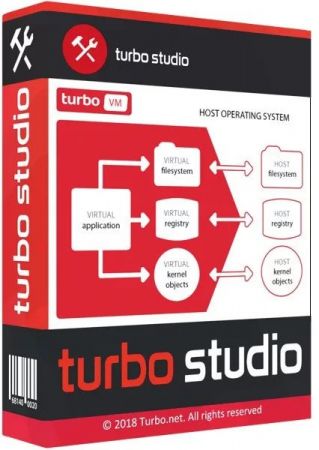
Turbo Studio (formerly known as Spoon Studio) - with this app you can combine files needed to make an app run into a package that is ready for use without deployment. The application allows you to create a virtual container and run programs in a virtual environment without the installation and make changes in registry and system.
-
LDPlayer 9.0.46 Multilingual Freeware
File size: 629 MB
LDPlayer is a free Android emulator for PC users playing Android games easily on Windows. Based on Android 5 and 7, it supports a wide range of compatibility in running high-performance, high-graphic mobile games on PC.
-
File size: 0.5/2.4 GB
BlueStacks is an easy to use and powerful App Player which is designed to run Android OS and apps on Windows PCs with instant switch between Android and Windows. No reboot is required. End consumers can now enjoy their favorite Android apps on Windows PCs. Android apps can appear either as icons on the Windows desktop, or within a full-blown Android environment. BlueStacks helps PC manufacturers to ride the Android momentum by enabling Android apps on x86-based tablets, netbooks, notebooks, convertibles and AiO Windows PCs.
-
File size: 125 MB
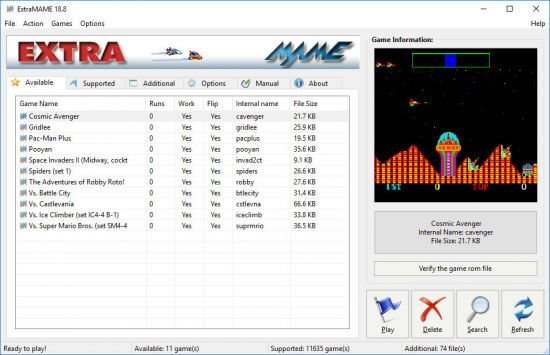
Is a small MS Windows compatible game GUI wrapper for MAME, the Multiple Arcade Machine Emulator authored by Nicola Salmoria and the MAME team. MAME let's you play thousands of old-school arcade games on your computer. ExtraMAME is smaller and easier to use. It doesn't force you to fuss with difficult configurations and it's compatible with all MAME games.
-
NoxPlayer 7.0.5.7 Multilingual Freeware
File size: 569 MB
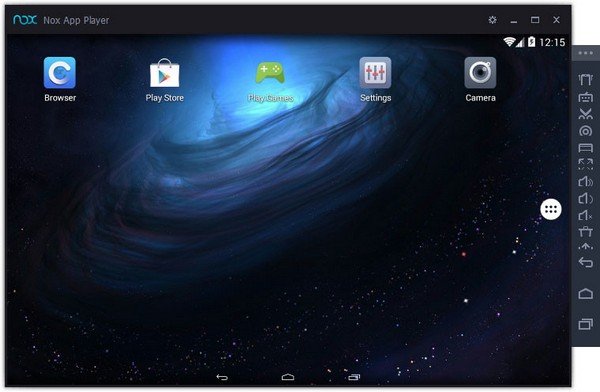
NoxPlayer is the best free Android emulator leading in technology and performance. It brings the best experience for users to play Android games and apps on Windows. NoxPlayer is stable, efficient and powerful. It ensures the fast response – bigger screen, easier operation. This app has some useful settings, including options to change your screen resolutions and other. You can root and access blocked features on your android using iRoot for PC.
-
File Size: 689.8 MB
MEmu is an Android emulator that specializes in video games. With MEmu you can enjoy many exclusive titles that you can find for the Android platform, directly on your computer. You don't need to adjust any complicated settings and configure the controls, just install it and start playing. With MEmu, you can install Android games quite easily, simply click the APK button on the right side of the interface, select the APK of the game you want to install, and wait. It really is that easy.
-
File size: 507.6 MB
VMware Workstation Pro is the industry standard for running multiple operating systems as virtual machines (VMs) on a single Linux or Windows PC. IT professionals, developers and businesses who build, test or demo software for any device, platform or cloud rely on Workstation Pro. Workstation Pro Delivers a Data Center in Your Laptop.
-
File Size: 673.7 MB
VMware Fusion gives Mac users the power to run Windows on Mac along with hundreds of other operating systems side by side with Mac applications, without rebooting. Fusion is simple enough for home users and powerful enough for IT professionals, developers and businesses.
-
File size: 535.4 MB
VMware Workstation Pro is the industry standard for running multiple operating systems as virtual machines (VMs) on a single Linux or Windows PC. IT professionals, developers and businesses who build, test or demo software for any device, platform or cloud rely on Workstation Pro. Workstation Pro Delivers a Data Center in Your Laptop.
-
LDPlayer 9.0.45 Multilingual Freeware
File size: 626 MB
LDPlayer is a free Android emulator for PC users playing Android games easily on Windows. Based on Android 5 and 7, it supports a wide range of compatibility in running high-performance, high-graphic mobile games on PC.