ConEmu Build 140109 Stable / Build 151029 Alpha + Portable
This post was published 10 years ago. Download links are most likely obsolete. If that's the case, try asking the uploader to re-upload.
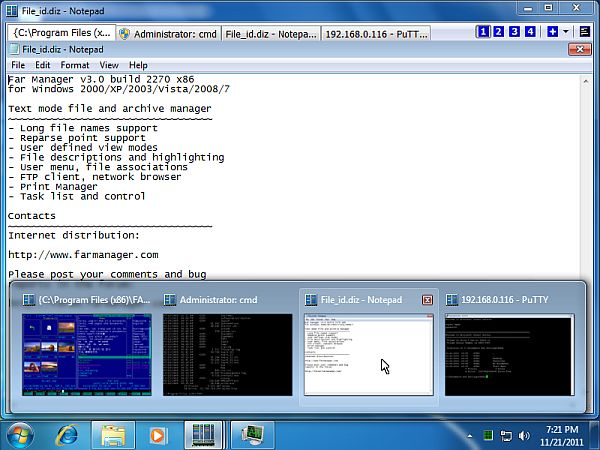
ConEmu Build 140109 Stable / Build 151029 Alpha + Portable | 10.2 Mb
ConEmu is a comprehensive software utility designed for users who prefer working with multiple console programs at the same time. It gives them the possibility to open more than one command-line tool in multiple tabs, just like in graphical interfaces, as well as to set up custom tasks and add command groups to menus.
Quick and customizable setup pack
The installation procedure does not take a long time to finish and it allows users to exclude any components from the full package, such as Far Manager plugins, Start menu and desktop shortcuts.
Those who want to bypass the installer and run the tool directly from a pen drive may resort to its portable counterpart called Portable ConEmu.
Fast configuration at startup
Once launched, it is possible to create an initial customization pertaining to the ConEmu settings storage location, single instance mode, keyboard hooks, DLL injection, automatic updates, and others.
Familiar interface with numerous configuration options
The interface resembles the one of Command Prompt, with the key difference being the possibility to create new tabs for running new console utilities. You can point out the program's executable file and startup directory, user credentials, layout split mode (to bottom or right) and whether it will be run in a new window instead of tabbed mode.
Some useful, predefined console tools are available for quick access, and it is possible to add new ones. The application comes packed with numerous configuration settings dedicated to the font, background image and other UI features, along with hotkeys, modifiers and macros.
Evaluation and conclusion
We have not come across any issues in our tests, since ConEmu did not hang, crash or display error notifications. It has minimal impact on PC performance, running on low CPU and RAM. Although it is not dedicated to beginners, ConEmu offers an effective solution for working with multiple console programs in a tabbed window, backed by rich and advanced customization preferences.
New in version Build 140109 (January 10, 2014)
• Palette was failed to be set properly for elevated consoles.
• Elevated console was hidden even if "ConEmu /visible" was called.
• Allow '-'style arguments in ConEmu.exe cmd line.
• Default terminal. Remove real console flickering when starting console app from explorer.
• Issue 1340: Alternatively attached console was closed by Ctrl+C.
• Macro Shell("new_console:a") allowed.
• Update/fix 'RunAsAdmin' state on tab after attach.
• Crash if user cancelled console creation in some cases.
• Memory leak if user cancelled console creation in some cases.
• Excess logon dialog when running "cmd -new_console:u::".
• Win v6.1: conhost PID detection improved.
• Some internal changes.
New in version Build 151029 (October 31, 2015)
• Add vertical block marker to clipboard while copying rectangular selection. Borland and Microsoft IDE-s are supported.
• Warn if two instances of ConEmu plugin were loaded in Far Manager. If due to installation or configuration errors two dll libraries were loaded, they both will fail to work properly. So, warn user about the problem in detail, show suggestion, and stop plugin initialization.
• Warn user if wrong version of ConEmu plugin was loaded in Far Manager.
• gh#364: Ignore Minimize/Restore hotkeys pressed while Quake animation is not finished.
• Don’t try to inject hooks into ConEmuC processes.
• Menu item ‘Active process memory dump’ did not suggested to create dump automatically.
• Add note about maximum length of backscroll buffer (32766 lines).
• Improve configuration detection while reusing running ConEmu instance. For example, running ConEmu -quake must not create new tab in the existing ConEmu ‘non-quake’ instance.
• Some corrections in Single-instance logic.
• Source file codepage was ignored in ConEmuC -t switch. NB. ConEmuC /TYPE ... or its alias ConEmuC -t ... may be used to type any text file with ANSI sequences. Check out full syntax and examples in docs: ConEmuC.html#EchoAndType.