RJ TextEd Portable 10.90 Beta 2 + Portable
This post was published 10 years ago. Download links are most likely obsolete. If that's the case, try asking the uploader to re-upload.
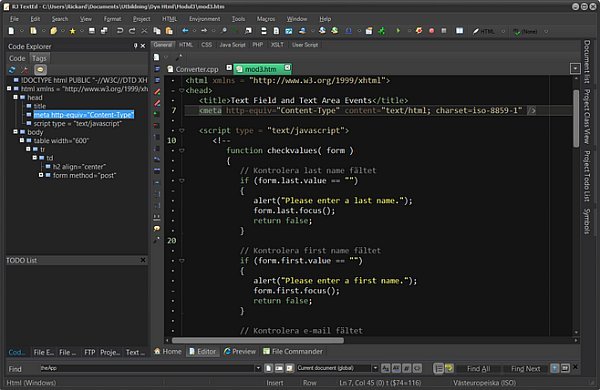
RJ TextEd Portable 10.90 Beta 2 + Portable | 81.8/81.1 Mb
RJ TextEd is a full featured text and source editor with Unicode support. It is also a very powerful web (PHP, ASP, JavaScript, HTML and CSS) development editor. The functionality extends beyond text files and includes support for CSS/HTML editing with integrated CSS/HTML preview, spell checking, auto completion, HTML validation, templates and more. The program also has a dual pane file commander, as well as a (S)FTP client to upload your files. Below is a small list of features available. For a full list check out the features section.
Features
• Below is a small list of features available in the program.
• Auto completion.
• Code folding.
• Column mode.
• Multi edit and multi select
• Document map
• Advanced sorting.
• Handles both ASCII and binary files.
• CSS and HTML wizards.
• Dockable panels.
• FTP and SFTP client with synchronization.
• File explorer, text clips, code explorer, project manager...
• Convert between code pages, Unicode formats and text formats.
• Unicode and ANSI code page detection.
• Open/Save UTF-8 encoded files without a signature (BOM).
• Unicode file paths and file names.
• HTML validation, format and repair.
• Tools available like syntax editor, color picker, charmap...
New in version 10.90 (Decemn 1, 2015)
Emmet
Included latest Emmet JS code and added several "HTML->Emmet" menu items.
Expand abbreviation at cursor (Shift+Enter)
Type an abbreviation e.g. "ul>li*5" and select menu item or hit
Shift+Enter to expand the abbreviation under the cursor.
Expand abbreviation (Ctrl+,)
Opens a small edit box. Type the abbreviation and hit enter to insert
the expanded code.
Wrap with abbreviation (Shift+Ctrl+,)
Select some code and select menu item. Type the abbreviation in the
opened edit box and hit enter to insert the expanded code.
Next edit point
Find next edit point, e.g. between tags.
Previous edit point
Find previous edit point.
Emmet is not available on Windows XP or below.
Annotation Bar
Display a narrow annotation bar beside the vertical scrollbar.
The annotation bar display:
- The current line
- Selection (including multiple selection)
- Changed lines
- Bookmarks
- Matching HTML,XML tags
- Matching fold items
- Matching braces
- Find All matches
Chrome preview
Updated the 64-bit version to a newer version (v45).
Quickbar
Redesigned the dropdown buttons to switch toolbar and changed icons.
Open as binary files
Added an option to edit file extensions used to identify binary files.
Misc
* Hidden panels open and close faster in this version.
* Made some visual changes in the toolbar. Syntax and spell buttons are
resized if necessary.
* Save prompt is not displayed anymore for cloned documents.
* Document.BeginUpdate should work better in scripts.
* Project "Rescan all files" will remove non-existing files from the project.
Fixed
* Variable input issues with text clips.
* Sort undo issue.
* Text compare issue.
* Issue where editor toolbar buttons could disappear.
* Toolbar display issues.
OS: XP / Vista / 7 / 8 / 10 (32 and 64 bit)
Download
Uploaded - Installer
Uploaded - Portable
Mirror
Rapidgator - Installer
Rapidgator - Portable
Mirror
Turbobit - Installer
Turbobit - Portable
---
__ __ __ __ __ __ __ __ __