Portable Bug Head Emperor 6.28
This post was published 10 years ago. Download links are most likely obsolete. If that's the case, try asking the uploader to re-upload.
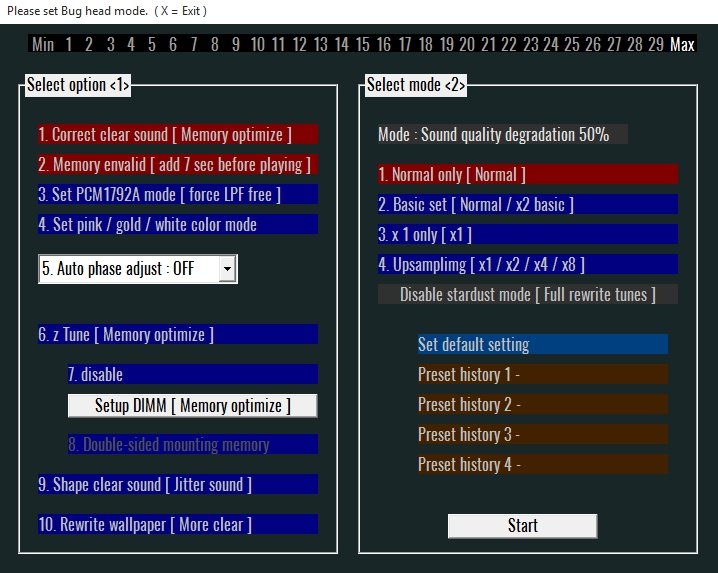
Portable Bug Head Emperor 6.28|Windows(x86/x64)|rar|23.6 mb
Digital monster sound player "Freeware". Simple music player which enables you to create several playlists and easily toggle them, take advantage of the playback controls and work with multiple file types (e.g. OGG, FLAC, WAV etc.)
Bug head is a software application whose main purpose is to aid you in playing several audio tracks on your computer, and organize multiple playlists in dedicated panes.
Clear-cut environment
The installation process does not pose any kind of issues, while the interface is quite clean. It consists of several buttons and a panel in which to view all the audio files you have previously uploaded. Although no Help contents are included, both beginners and highly experienced people can find their way around Bug head, without facing any kind of difficulties.
File extensions you can use and play or stop songs
This audio player enables you to upload WAV, FLAC, OGG, M4A, AAC, WMA, CDA and WV tracks, with the help of a file browser, while it is also possible to add entire directories with just a click of the button.
Aside from that, you should know that playback controls are included, so that you can easily play a song, skip, stop or repeat it.
Set up multiple playlists and sort items
You can create up to five playlists and switch between them with just a click of the button. The elapsed and total time are also going to be displayed in the main window, yet you should know you cannot control the volume from the tool, which leaves you to adjust it only from Windows.
Last but not least, you can sort your playlists with ease according to name, directory and creation date, while you can also clear the entire list with just a click.
Conclusion and performance
This utility does not require many system resources in order to properly function, while the response time is quite good. The interface is colorful and accessible to all, and we did not come across any kind of issues in our tests.
All things considered, we can safely say Bug head is a pretty handy audio player, yet we would have loved to see more features from it.
SYSTEM REQUIREMENTS
ASIO driver
WASAPI (EXCLUSIVE mode only) - Windows7
SSE2 CPU
600 MB of RAM
3 MB free disk space
New:Bug head 6.28
• Fix Window control critical bugs
• Fix Low path filter critical bugs
• Fix Window back color
• bug Have some gap
<Important>
recommend run All core any cures before Bug head
Must required 8 hours Additional burn in
required Windows 7, Windows 8.1, Windows 10 (use Classic shell)
required ASIO driver (XMOS, ASIO4ALL, JPLAY) and DAC device
required SSE2 AVX CPU : If the sound stops, you need more performance CPU.
required 44.1kHz x2 or x4 mode need 88.2kHz or 176.4kHz or 352.8kHz
required Must be to relax the user (Quality can not be improved)
required 24+ bit devices
required Memory space 1500MB over (z Tune 8GB)
(*)Infinity blade required quad core cpu.
Support Audio files
16 bit or 24 bit or 32bit
44.1kHz / 48kHz / 88.2kHz / 96kHz / 176.4kHz / 192kHz (only one)
WAV / FLAC / M4A / AAC / ALAC(M4A) / WMA / MP3 / WV / OGG / APE / OPUS
CDA (CD Audio, short waiting time)
DSF / DFF (DSD Native, DSD DoP, DSD Pcm)
Streaming MP3, OGG, WAV, AAC, FLAC, DSD (.m3u only, disable stardust)
You must have 88.2kHz and 176.4kHz supported USB-DAC Device.
Language English
Homepage
Download :Portable (Size:23.6 mb)