Unreal Commander 3.57.1195 Beta 10 (x86 / x64) Multilangual
This post was published 9 years ago. Download links are most likely obsolete. If that's the case, try asking the uploader to re-upload.
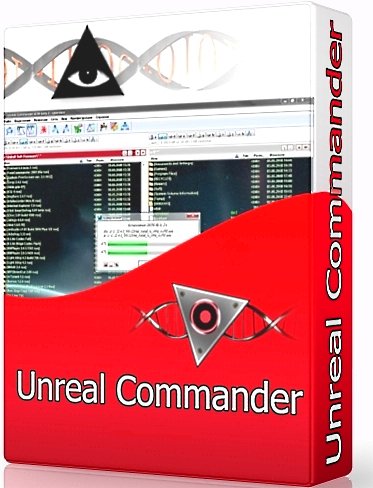
Unreal Commander 3.57.1195 Beta 10 (x86 / x64) Multilangual | 23.5 MB
Unreal Commander - Free two-pane file manager with a closed source operating under Microsoft Windows. File Manager displays hidden and system files can change their attributes, move, copy or delete, has a built-in FTP-client, graphics file viewer, media player, able to disassemble / assemble the files into parts, it supports popular archive that can open reading and editing, unicode, tabs, drag-and-drop, plug-ins (including plug-ins written for Total Commander), setting internal and external editors, synchronize directories, ignore list, password keeper, batch rename files, setting hot menu keys , color schemes and styles, themes, search, command line interface, equipped with international support.
Key features
Two-panel interface
UNICODE support
Advanced Search Files
Batch rename files and directories
directory synchronization
Supports archives ZIP, RAR, ACE, CAB, JAR, TAR, LHA, GZ, TGZ, ARJ
Built-in FTP-client
thumbnail mode
catalogs Taba
Support of WLX / WCX / WDX plugins
Built-in viewer and quick view function
Work with your network environment
Drag & Drop support when working with other applications
History and Hotlist
Background copy / move / delete
Secure file deletion (WIPE)
Background pictures
Styles: color categories of files, fonts for all interface elements
and other.
New in Version
Posted:
64-bit version of the program
New Packer module (with Unicode support and 7z)
Improving access rights
Built-in mini-utility for downloading files (Tools → Files)
Built-in mini-utility to backup (Tools → Backup)
quick-change feature icons directory (Team → Assign icon catalog)
Action after the completion queues (Hibernate, Hibernate, Turn Off Computer)
Imposition of new jobs in place of the existing
The ability to do all done by the "closed"
"Save symbolic links" mode (used for copying and transferring)
and a large number of small additions
Creating a License Key Free
1. Click Help> License management
2. Select, create a new license key, we press further
3. Select, Personal use, we press further
4. Select, Auto, we press further
5. Writing any name, we press on, and in the window appeared Hit yes
All the key was created!
Download Links:
Premium account is Recommended
Download From Uploaded.net
Premium account is Recommended
Download From Nitroflare.com
Premium account is Recommended
Download From Turbobit.net