Home Audio Editor v8.8.1
This post was published 8 years ago. Download links are most likely obsolete. If that's the case, try asking the uploader to re-upload.
File Size: 1.5 MB
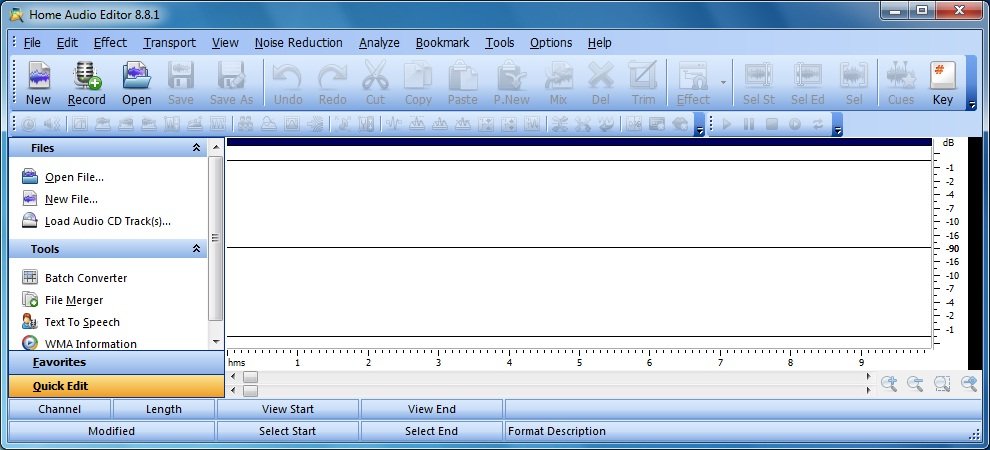
Home Audio Editor is a visual audio editor and recorder software solution, which supports many advanced and powerful operations with audio data.
Create -Open, create, and save audio files in any of the supported formats (can also save any portion of a loaded file to disk as a new file);
Display - Display audio data waveform (Zoom Full, Zoom In, Zoom Out, Zoom Vertical);
Play - Play audio files or any portion of the files (Play, Pause, Stop);
Record - Record audio data from a microphone or any other available input device (you can record audio from DVD / VCD / CD Player, MP3 Player, RealPlayer, Windows Media Player, Web Page, Internet Conversation, Internet News, Internet Radio Station and more);
Edit - Edit audio files visually (Cut, Copy, Delete Selection, Delete Silence, Paste, Paste From File, Mix, Mix From File);
Effects - Apply various effects (Amplify, Compressor, Delay, Equalize, Fade In and Fade Out, Flanger, Invert, Normalize, Phaser, Reverb, Reverse, Silence, Shrink, Stretch, Vibrato, etc.);
Filters - Apply different filters to any selected portion of audio files;
Convert - Convert an audio file from one format to another, and much more!
Why do you need a music editing software?
Do you have one of the following problems with your music?
You have many music CDs and want to save them as audio files on you pc.
You have many tapes and want to save them as audio files on your pc.
There are many music files on you pc and they eat too much disc size.
Share music with your friends and family members via Internet but the music files are too large to send.
You want to split, combine mp3 files?
You want to get parts from existing music. Use them to create new music.
Make some changes to your music. Increase or decrease the volume, add fade in or fade out to you music, change the play speed.
Record a piece of time, a conversation, a course or a lecture in real time.
Home Audio Editor Key Features
Edit audio files visually
Record audio data
Apply various effects
Apply different filters
Convert an audio file
Burn CDs
Bookmark and Region
Easy to use software
What's New in This Release
Updates: official site does not provide any info about changes in this version
What are the system requirements for Home Audio Editor?
Microsoft Windows XP, Windows Vista/Windows7, Windows 2000, or Windows ME.
Pentium Processor or better, Pentium 4 or higher recommended.
512MB RAM or more, 1G RAM is recommended.
100MB Hard disk space for install.
Homepage
Quick check before we show the links
Helps us keep automated scrapers from hammering the filehosts.