The Complete EDM Production Course - Produce, Mix & Master
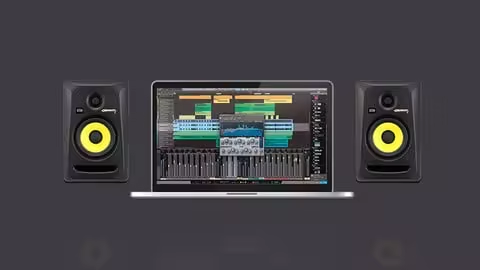
MP4 | Video: h264, 1920x1080 | Audio: AAC, 44.1 KHz
Language: English | Size: 7.29 GB | Duration: 11h 54m
Learn EDM Production, mixing, mastering, sound design, arrangement, plugins, techniques & more using any software or DAW
What you'll learn
Produce your own EDM track from scratch or from a construction kit.
Upgrade your EDM production skills to get signed and get more followers
Make your tracks sound professional with mixing and mastering
Create catchy arrangements, buildups, drops, intros and more.
Learn how to start and finish new tracks quickly and easily.
Learn how to design and recreate sounds in a synthesizer.
Requirements
No experience required.
Suitable for music producers and EDM producers of all levels and all genres.
No special gear, plugins, or software required.
Description
Welcome to the ultimate EDM production course. With over 10 hours of online training, articles, tips and practical steps you can follow, this is the most comprehensive EDM production course available on Udemy and possibly anywhere online.
Save yourself months of going through low quality YouTube tutorials and get all the information you need in one place. Ask questions, get answers, and make suggestions for new videos that you would like to see added to the course.
We'll cover the basics like audio and midi, loops and samples, various software, plugins. We'll also dive into sound design, using synths, arrangement, workflow, mixing, mastering and how to tap into your creativity.
The track used in this course is produced in Ableton Live, please don't worry. Everything shown in this course can be applied using whatever software you use including Logic Pro, Cubase, Reaper, Pro-Tools, Reason or any other DAW you may use.
Go From Beginner EDM Producer to Advanced.
You'll go from beginner to advanced quickly and learn how to be confident in your production skills while enjoying the entire process.
The course is very easy to follow and everything is explained in full detail without being boring or difficult to understand.
By the end of the course, you will have developed an idea for a new track, setup your digital audio workstation (DAW), completed your arrangement, and mixed and mastered it to perfection.
Inside the course you'll learn how to
Avoid common mistakes that make many beginners want to quit producing music
Generate tons of ideas for new tracks at any time
Properly analyze tracks from professional producers
Use reference tracks to make your own tracks sound amazing
Make arrangements that are catchy and radio friendly
Create interesting and powerful breakdowns, buildups and drops
Design sounds that work together
Use samples and presets so you can produce more music fast
Use EQ, compression, reverb, delay, limiting, distortion, tape saturation, layering and more
Mix and master your tracks to a professional level
And much much more!
All the tools and plugins used in the course are completely free. No need for expensive plugins, software or gear.
You'll also get
Lifetime access to the course
The best support and all your questions answered
Udemy certificate of completion for download
A 30 Day “No Questions Asked” money back guarantee
Fully mixed and mastered Ableton Live Project
Complete construction kit including sounds, samples, and Sylenth1 presets.
Enroll today to become a professional EDM producer.
Overview
Section 1: Introduction
Lecture 1 Introduction
Lecture 2 What is Electronic Dance Music or EDM?
Lecture 3 What You Need to Get Started
Lecture 4 Equipment Recommendations (PDF Download)
Section 2: Background Information (For Beginners)
Lecture 5 What is a DAW? The Digital Audio Workstation.
Lecture 6 List of DAWs You Can Use (PDF Download)
Lecture 7 Loops and Samples
Lecture 8 What is a Virtual Instrument
Lecture 9 What are Plugins?
Lecture 10 Get to Know Your DAW
Lecture 11 How to Determine and Develop Your Style and Genre
Lecture 12 How To Determine Your Style and Genre (PDF Download)
Lecture 13 Audio and Midi
Lecture 14 Return Tracks
Section 3: Downloads and Plugin Links
Lecture 15 Plugin Installation
Lecture 16 Plugin Download & Alternatives
Lecture 17 Download Construction Kit & Ableton Live Project
Lecture 18 How to Use Ableton Live Projects and Stems
Lecture 19 Finished Song File
Lecture 20 **New Video** Updated Ableton Live Projects & Plugin Alternatives
Section 4: Sound Design With Sylenth 1
Lecture 21 Download and Import Presets
Lecture 22 Course Structure and Objectives
Lecture 23 Sound Design - The Arpeggiator (ARP)
Lecture 24 Sound Design - Sine Wave Trick (Beginner Friendly)
Lecture 25 Sound Design - Piano
Lecture 26 Sound Design - Piano & ARP Tweaks
Lecture 27 Sound Design - Sub Bass
Lecture 28 Sound Design - Creating Bass Sliding Notes and Funky Transitions
Lecture 29 Sound Design - Drop Bass
Lecture 30 Sound Design - Drop Bass Tuning
Lecture 31 Sound Design - The Lead
Lecture 32 Sound Design - Tweaking the Lead
Lecture 33 Sound Design - Lead Support
Lecture 34 Sound Design - Strings/Pads
Lecture 35 Sound Design - Plucks & Chords
Lecture 36 Sample Selection
Lecture 37 Sample Selection - Part 2
Section 5: Sound Design With HELM (Free Synthesizer)
Lecture 38 Helm Synth Walkthrough Part 1
Lecture 39 Helm Synth Walkthrough Part 2 (Envelopes)
Lecture 40 Helm Synth Walkthrough Part 3 (LFOs)
Lecture 41 Helm Synth Walkthrough Part 4 (Other Stuff)
Lecture 42 Designing the Sub Bass
Lecture 43 Designing the Distorted Bass
Lecture 44 Designing the Lead
Lecture 45 Designing the Lead Support
Lecture 46 Designing the Supersaw Chords
Lecture 47 Designing the Strings
Lecture 48 Designing the ARP
Lecture 49 Converting Sounds to Stereo
Section 6: Workflow and Project Organization
Lecture 50 Instrument Grouping and Color Coding
Lecture 51 Setting Up Reverb - Hall Reverb
Lecture 52 Setting Up Reverb - Drum Reverb
Lecture 53 Setting Up Reverb - Long Reverb
Lecture 54 How to Start and Finish Tracks Super Fast
Lecture 55 Gain Staging
Lecture 56 Setting Up Sidechain Compression (The EDM Pumping Effect)
Section 7: Song Arrangement
Lecture 57 The Intro
Lecture 58 The First Buildup
Lecture 59 The First Drop (Chorus)
Lecture 60 The First Drop - Tweaking Volumes
Lecture 61 Breakdown and Buildup
Lecture 62 The Second Drop
Lecture 63 The Outro
Section 8: Mixing The Drums
Lecture 64 Using and Analyzing a Reference Track
Lecture 65 Volume Balance
Lecture 66 Tuning
Lecture 67 The Kick Drum EQ
Lecture 68 The Kick Drum Compression
Lecture 69 The Kick Drum Distortion
Lecture 70 The Kick Drum Limiting
Lecture 71 Cymbals
Lecture 72 Clap and Snare
Lecture 73 Toms
Lecture 74 Drum Group Mixing: Compression
Lecture 75 Drum Group Mixing: EQ
Lecture 76 Drum Group Mixing: Distortion and Limiting
Section 9: Mixing The Bass
Lecture 77 Sub Bass: EQ
Lecture 78 Sub Bass: Parallel Processing
Lecture 79 Distorted Bass: Part 1
Lecture 80 Distorted Bass: Part 2
Section 10: Mixing Synths and Keyboards
Lecture 81 Supersaw Chords
Lecture 82 Lead
Lecture 83 Volume Tweaks
Lecture 84 Support Lead
Lecture 85 Strings/Pads
Lecture 86 Piano
Lecture 87 Arpeggiator
Section 11: Mixing Other Effects
Lecture 88 Intro Impact
Lecture 89 Riser Effect
Lecture 90 Huge Snare
Lecture 91 Big Clap
Lecture 92 Woooosh Noise Effects
Section 12: Secret Weapons
Lecture 93 OTT Compression
Section 13: Reverb and Delay
Lecture 94 Delay
Lecture 95 Applying and Automating Reverbs
Lecture 96 Making Your Reverbs Sound Awesome
Lecture 97 Filter Automation
Section 14: Quality Control
Lecture 98 Stereo Width (Mono and Stereo Balance)
Lecture 99 Making Tweaks and Adjustments
Section 15: MASTERING
Lecture 100 Introduction to Mastering
Lecture 101 Making Your Tracks Sound Wide
Lecture 102 Multiband Compression - What Is It and How Do You Use It?
Lecture 103 Multiband Compression - Low Frequencies
Lecture 104 Multiband Compression - Mid Frequencies
Lecture 105 Multiband Compression - High Frequencies
Lecture 106 Peak Compression
Lecture 107 Tape Saturation/DIstortion
Lecture 108 EQ
Lecture 109 Mid/Side EQ
Lecture 110 Controlling Peaks for Maximum Loudness
Lecture 111 Limiting
Lecture 112 EDM Frequency Balance
Quick check before we show the links
Helps us keep automated scrapers from hammering the filehosts.