Advanced Capcut Masterclass: Complete Video Editing Guide
Published 7/2025
MP4 | Video: h264, 1920x1080 | Audio: AAC, 44.1 KHz
Language: English | Size: 2.05 GB | Duration: 4h 6m
Your Expert Guide to CapCut: Elevate Your Video Production with Advanced Keyframing, Masking, Motion Graphics, Export
What you'll learn
Keyframe animation & motion tracking
Cinematic transitions & speed ramping
Sound effects & voiceovers
Custom animated text
Manual adjustments: contrast, saturation, exposure
Applying aesthetic filters
Requirements
Basic knowledge in CapCut good if not than also ok
CapCut Software
Description
Are you ready to transform your video editing skills from basic cuts to cinematic masterpieces, all within CapCut?This Advanced CapCut Masterclass is your ultimate guide to unlocking the full power of CapCut, whether you're a content creator, aspiring filmmaker, social media influencer, or simply someone who wants to create truly captivating videos. Move beyond the ordinary and learn the professional techniques used by top creators, all within this incredibly accessible and powerful desktop video editor.CapCut has revolutionized video creation with its intuitive interface and robust features. But to truly stand out, you need to master its advanced capabilities. This comprehensive course will take you deep into the heart of CapCut, teaching you not just what to do, but why and how to apply advanced concepts for stunning, professional results.What You'll Learn:Precision Editing Techniques: Go beyond simple cuts. Learn advanced trimming, splitting, and multi-track editing to create seamless and dynamic sequences.Unleash the Power of Keyframing: Animate text, graphics, and video clips with precision to create stunning motion graphics and dynamic visual effects.Cinematic Color Grading & Correction: Transform the mood and aesthetic of your videos with professional color grading, adjustments, and the use of LUTS.Advanced Audio Editing & Sound Design: Enhance your videos with crystal-clear audio, background music, sound effects, voiceovers, noise reduction, and perfect audio synchronization.Dynamic Transitions & Effects: Elevate your visuals with custom transitions, trendy effects, and learn how to use them effectively for impactful storytelling.Create Engaging Short-Form Content: Master the art of viral video creation for TikTok, Instagram Reels, and YouTube Shorts, understanding pacing, hooks, and trending elements.Optimize for Various Platforms: Learn the best export settings and aspect ratios for YouTube, TikTok, Instagram, and more, ensuring your videos look their best everywhere.Practical Projects & Real-World Scenarios: Apply your knowledge through hands-on exercises and build a portfolio of impressive video projects.Who Is This Course For?Anyone looking to level up their editing game with CapCut!Don't just edit videos – craft cinematic experiences with CapCut! Enroll now and become a true CapCut Master!
Overview
Section 1: Introduction
Lecture 1 Introduction
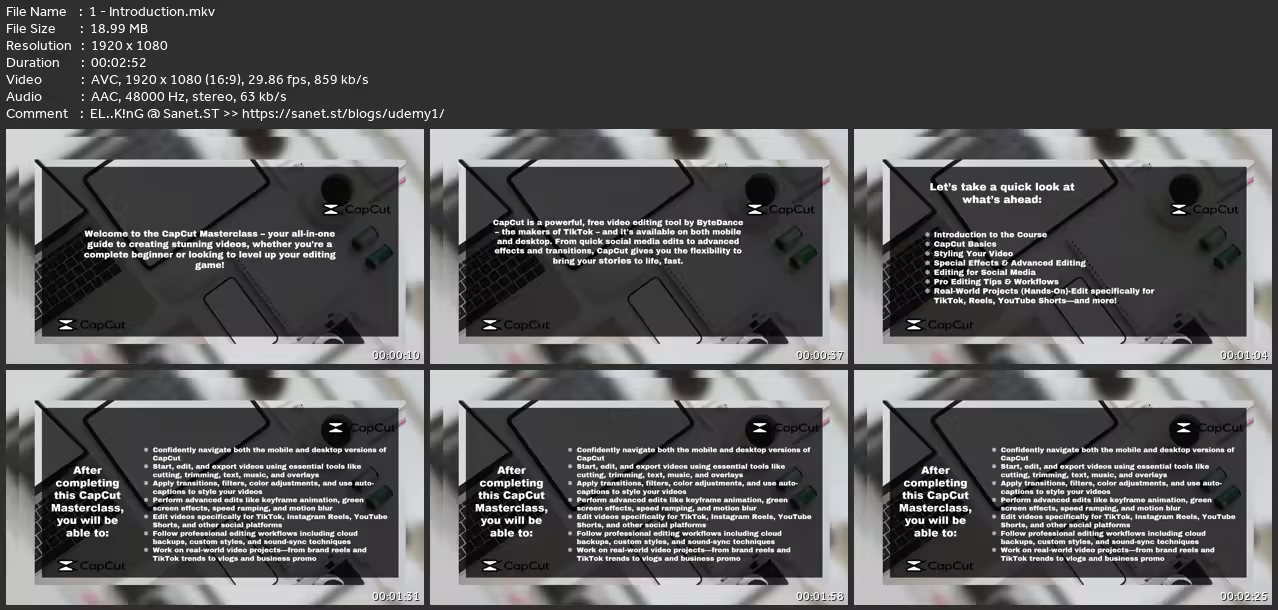
Lecture 2 Introduction to the Course
Lecture 3 CapCut Basics
Lecture 4 Styling Your Video
Lecture 5 Special Effects & Advanced Editing
Lecture 6 Editing for Social Media
Lecture 7 Pro Editing Tips & Workflows
Lecture 8 Project 1 Instagram Reel for a Brand
Lecture 9 Project 2 YouTube Shorts for EducationEntertainment
Lecture 10 Project 3 Tiktok Trend Video
Lecture 11 Project 4 Promotional Business Video
Lecture 12 Project 5 Daily Vlog Travel Montage
Anyone looking to level up their editing game with CapCut!
without You and Your Support We Can’t Continue
Thanks for Buying Premium From My Links for Support
Click >>here & Visit My Blog Daily for More Udemy Tutorial. If You Need Update or Links Dead Don't Wait Just Pm Me or Leave Comment at This Post
Quick check before we show the links
Helps us keep automated scrapers from hammering the filehosts.