Who’s On My WiFi 3.0.4 + Portable
This post was published 10 years ago. Download links are most likely obsolete. If that's the case, try asking the uploader to re-upload.
Who’s On My WiFi Windows 3.0.4 | 3.1 Mb
Who Is On My Wifi is a simple but effective application designed for the users who need to check their WiFi network for intruders. It is a useful tool for identifying unauthorised access and resource leaks that can decrease the connection performance.
When you are using a physical network, it is easy to notice a new connection from your router. But when dealing with wireless networks, the connections are not as obvious which might encourage some users to use your network for Internet access or even data theft.
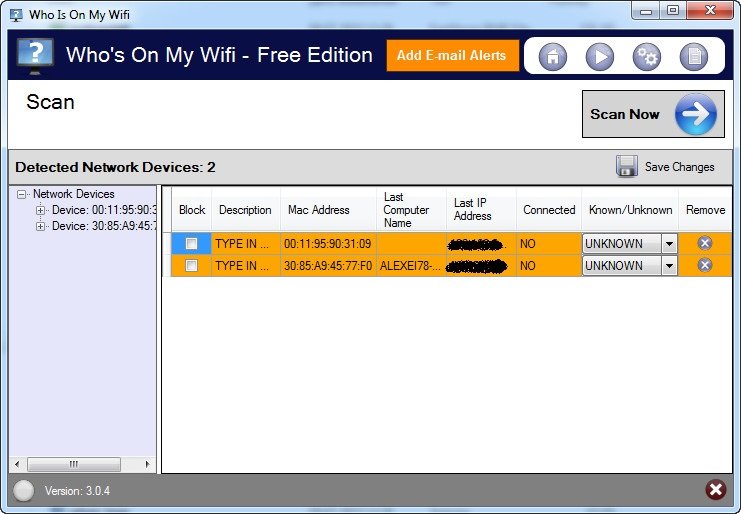
This application allows you to check the list of connected devices from your network and mark the ones that belong to authorized users. In order to check for new connections, the program runs in the background and repeats the network scan every few minutes.
A notification is automatically generated when a new device is detected on your network. You can customize the notification type and enable an email notification if you want to receive a heads up even when you are not at your desk.
If a certain computer seems suspicious, you can easily block its access by simply checking it on the list of detected devices. A block history log can be saved to a local folder in order to analyze the scanner and block activity.
The program’s interface is simple and requires minimal experience in order to detect the computers and manage the connection. Furthermore, at the first launch a wizard guides you through all the required steps in order to scan the network.
In our tests, the program required insignificant resources even during the network scan. However, if you want to reduce the impact on the computer you can specify the IP range that needs to be scanned and increase the time interval between scans.
Who Is On My Wifi allows you to identify and block the intruders that use your WiFi network without authorization.
Changelog
Bug Fixes:
Fixes Online Connection Bug
There was a software bug for Online subscribers that would cause blank agent data in the online system when connecting the Windows agent to the online API. This has been fixed.
Lengthens Software Certificate
We digitally sign all of our software downloads to ensure that a setup package that we release to the public hasn’t been modified when you install it on your computer. We use a signing certificate that has an expiration date on it. This expiration date is coming up in 2016. We have a new certificate that doesn’t expire until end of year 2018. We signed Who’s On My WiFi Windows 3.0.4 with our latest certificate which allows for validation until 2018. We encourage all users to update to 3.0.4 so they don’t experience any warning messages about expired certificates in 2016.
Screenshots