Next Js & Open Ai / Gpt: Next-Generation Next Js & Ai Apps
This post was published 3 years ago. Download links are most likely obsolete. If that's the case, try asking the uploader to re-upload.
Last updated 3/2023
MP4 | Video: h264, 1280x720 | Audio: AAC, 44.1 KHz
Language: English | Size: 2.81 GB | Duration: 4h 57m
Next JS & OpenAI GPT3.5: Build an SEO-friendly blog post gen app with auth0, GPT, stripe payments, tailwind, & MongoDB
What you'll learn
Build your own SAAS products powered by AI and Next JS
Use OpenAI's GPT to implement AI generated content in your apps
Authenticate your Next JS apps with Auth0
Style your Next JS apps with Tailwind CSS
Store data for your Next JS apps with MongoDB
Charge customers using stripe
Requirements
Basic understanding of React is required - everything else is covered!
Description
Don't get left behind! Increase your value as a web developer today by learning how to integrate AI in to your projects!Welcome to the exciting world of AI-powered, next-generation, Next JS apps!In this course we will create a fictional Software-As-A-Service (SAAS) product called "BlogStandard". We'll build "BlogStandard" using a combination of Next.js, OpenAI's GPT, MongoDB, Auth0, Stripe, and Tailwind CSS. BlogStandard allows users to create an account (handled by auth0), purchase tokens (handled by stripe), and spend those tokens to generate blog posts, powered by OpenAI's GPT API. User's tokens and generated blog posts will be stored using MongoDB.In this comprehensive online course, you'll learn how to harness the power of these cutting-edge technologies to build a fast, responsive, and dynamic web application that generates high-quality blog posts using AI. With step-by-step guidance, you'll gain hands-on experience working with each of these technologies to bring your vision to life.First, we'll dive into Next.js, a popular framework for building web applications. You'll learn how to create fast and responsive pages, manage routing, and integrate APIs to build a powerful and dynamic web application.Next, we'll explore OpenAI's GPT, the state-of-the-art language generation model, and learn how to use it to generate high-quality blog posts. You'll also discover how to integrate MongoDB, a scalable and flexible NoSQL database, to store and manage data for our application.In addition, you'll learn how to use Auth0, a powerful identity management platform, to handle user authentication and authorization, and Stripe, a leading payment processor, to handle transactions and payment processing. Finally, you'll learn how to use Tailwind CSS, a modern CSS framework, to style and design your application, bringing your vision to life.By the end of this course, you'll have the skills and knowledge you need to build your own AI-powered app and unleash the full potential of AI in your web development projects. So what are you waiting for? Join now and start your journey to the exciting world of AI-powered Next JS apps!
Overview
Section 1: Introduction & project setup
Lecture 1 Important! Read this before you begin the course!
Lecture 2 Course intro & project demo
Lecture 3 Project setup
Lecture 4 Udemy ratings and reviews
Lecture 5 Set up all required routes for our app
Section 2: Authentication & authorization with Auth0
Lecture 6 Set up auth0 for authentication
Lecture 7 Set the auth state & user information if logged in
Lecture 8 Implement protected routes that are only accessible if logged in
Section 3: Creating the app layout with Tailwind CSS
Lecture 9 Create the basic AppLayout component
Lecture 10 Implementing the sidebar & styling with Tailwind CSS
Lecture 11 Implementing the sidebar footer
Lecture 12 Create the sidebar header & roll out the AppLayout for all relevant pages
Lecture 13 Create the app logo component using Google Fonts & FontAwesome
Lecture 14 Create the homepage / main landing page, and finish off the sidebar header
Section 4: Generate blog posts with OpenAI's GPT API and store in MongoDB
Lecture 15 Setting up our project to work with GPT
Lecture 16 Refine the OpenAI prompt and render the results
Lecture 17 Pass topic and keywords to the generatePost API endpoint
Lecture 18 UPDATE: Using the gpt-3.5-turbo model
Lecture 19 Set up MongoDB
Lecture 20 Implement add tokens functionality and store in MongoDB
Lecture 21 Save generated post data to MongoDB
Lecture 22 Load the post data for a particular post page
Lecture 23 Auto-navigate to a post after it's generated
Lecture 24 Render the post content for a particular post page
Lecture 25 Render list of available posts in the sidebar
Section 5: Implementing stripe payments
Lecture 26 Set up stripe
Lecture 27 Implement stripe webhooks
Section 6: Styling updates, fixes, and data validation
Lecture 28 Fix Font Awesome flash of massive icon on load in production
Lecture 29 Styling updates & loading icon
Lecture 30 Validating form data when generating new posts
Section 7: Implement "load more posts" and delete post
Lecture 31 Create posts context and retrieve first 5 posts
Lecture 32 Create getPosts endpoint
Lecture 33 Hide "load more posts" button and fix disappearing posts in sidebar
Lecture 34 Fix posts in sidebar on initial post load
Lecture 35 Create deletePost endpoint
Lecture 36 Create delete post UI & call deletePost endpoint
Lecture 37 Delete post from sidebar
Lecture 38 Refactor posts context to use reducer instead of state
Section 8: Deploy
Lecture 39 Deploy on DigitalOcean
Lecture 40 BONUS!
React developers who want to increase their value as a developer by learning how to create SAAS products and start leveraging the power of AI
Screenshots
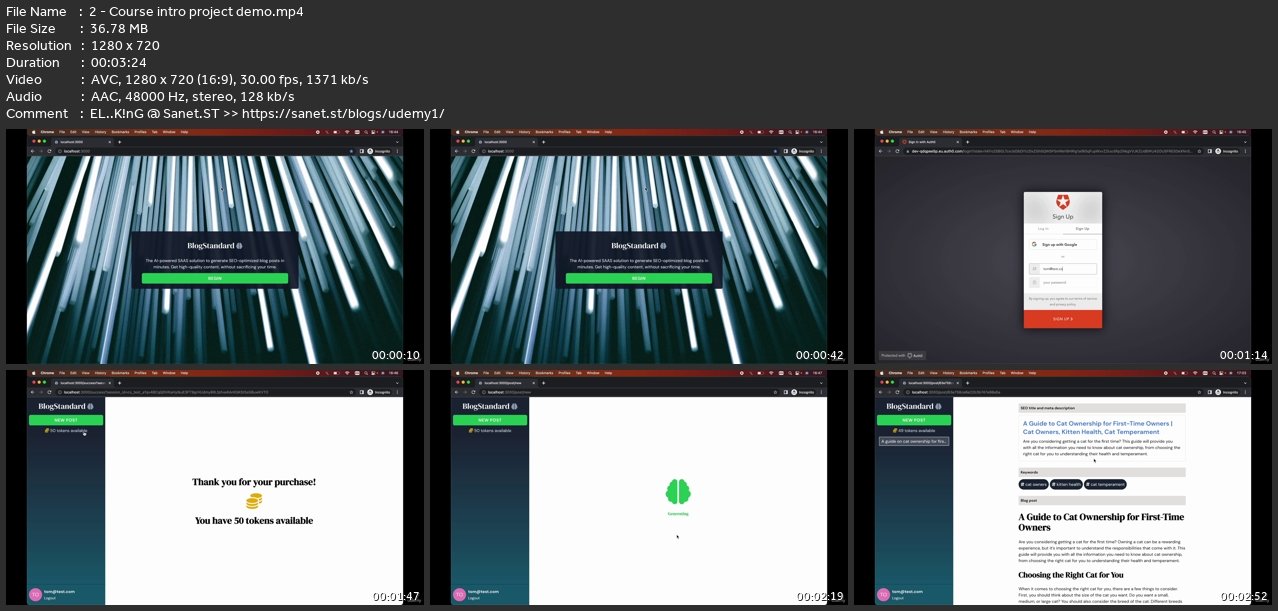
Homepage
without You and Your Support We Can’t Continue
Thanks for Buying Premium From My Links for Support
Click >>here & Visit My Blog Daily for More Udemy Tutorial. If You Need Update or Links Dead Don't Wait Just Pm Me or Leave Comment at This Post
Quick check before we show the links
Helps us keep automated scrapers from hammering the filehosts.